Family communication for senior care.
Tap to Reach.Tap to Care.
Reduce phone tag, repeated family updates, and cross-shift message loss with one mobile-first system families trust and staff actually use, plus digital signage in beta for shared on-site updates.
Delight families
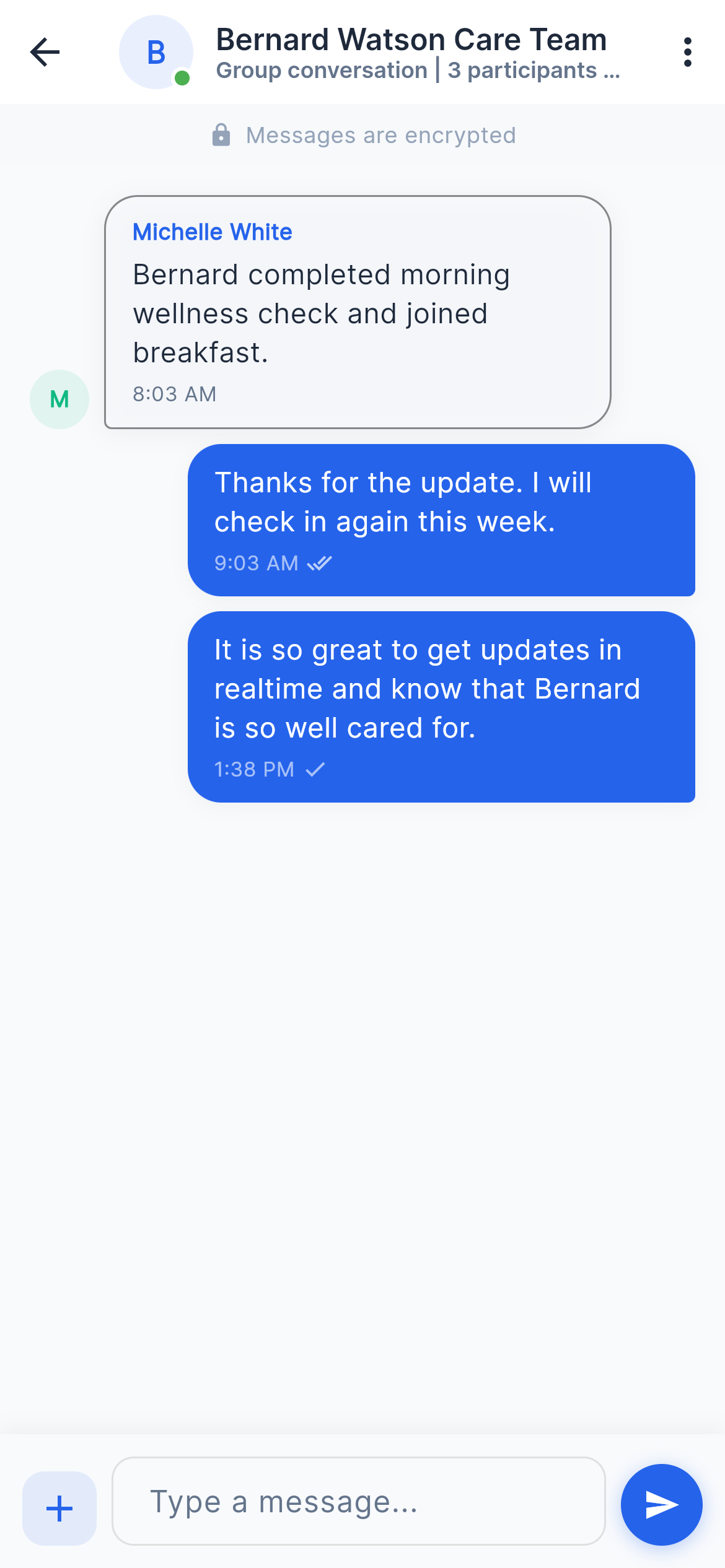
Give loved ones a trusted place to see updates without chasing staff for answers.
Privacy for staff
Share one clear update without giving out personal phone numbers.
Safer handoffs
Keep communication, next steps, and context visible across shifts and roles.
For Communities
Designed for trust, speed, and daily care operations.
Families do not want another portal they forget. Staff do not want another system they avoid. Tap Family keeps communication immediate, clear, and human.
For families
Families feel close, even between visits.
Tap Family keeps communication immediate, clear, and human with updates they can revisit and one trusted path back to the community.
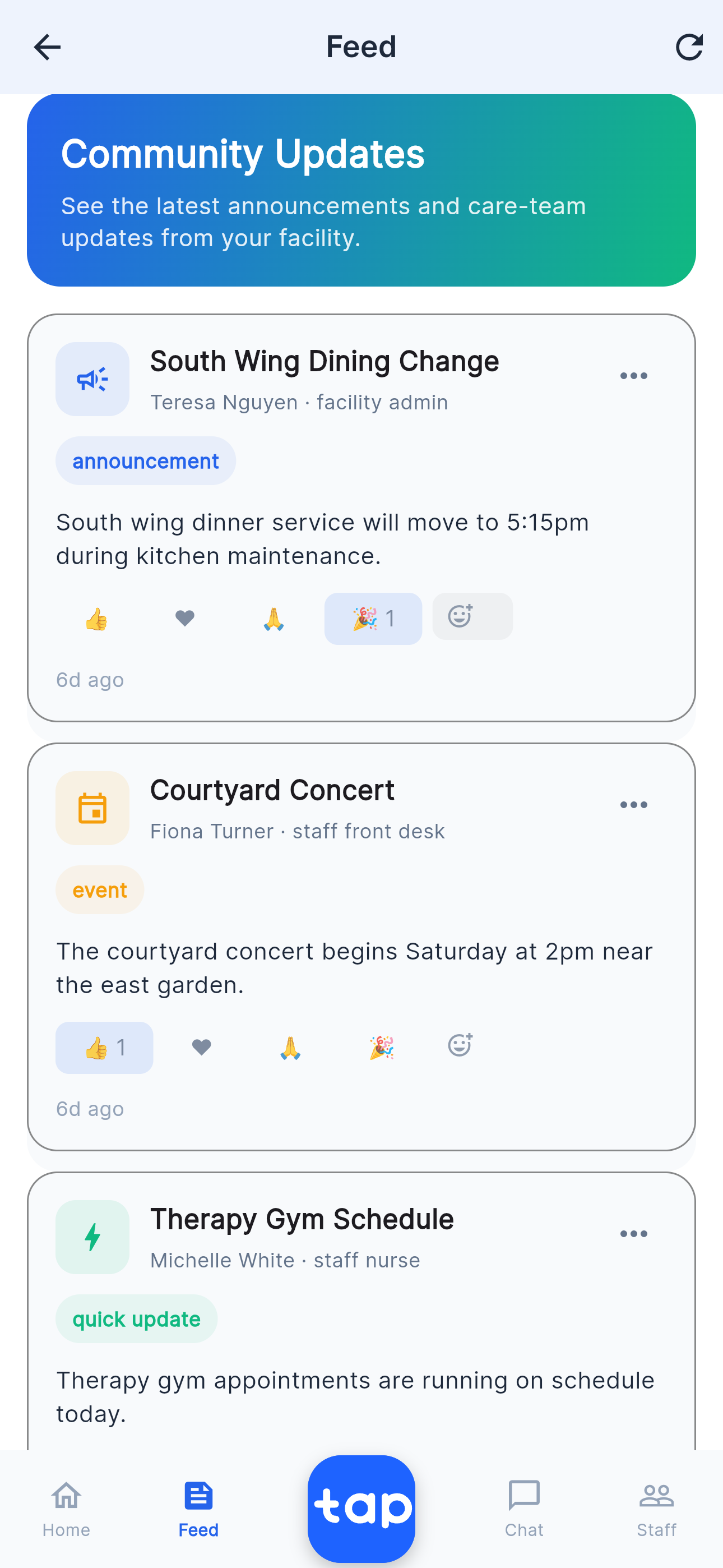
- Family announcements and care updates stay visible instead of disappearing into calls or text threads.
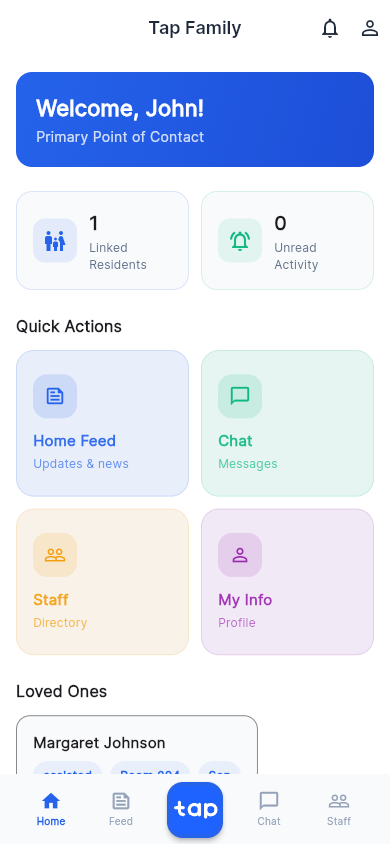
- Staff directory and messaging help families reach the right person without guessing.
- Resident and room context make follow-up feel faster, clearer, and more grounded.
For staff
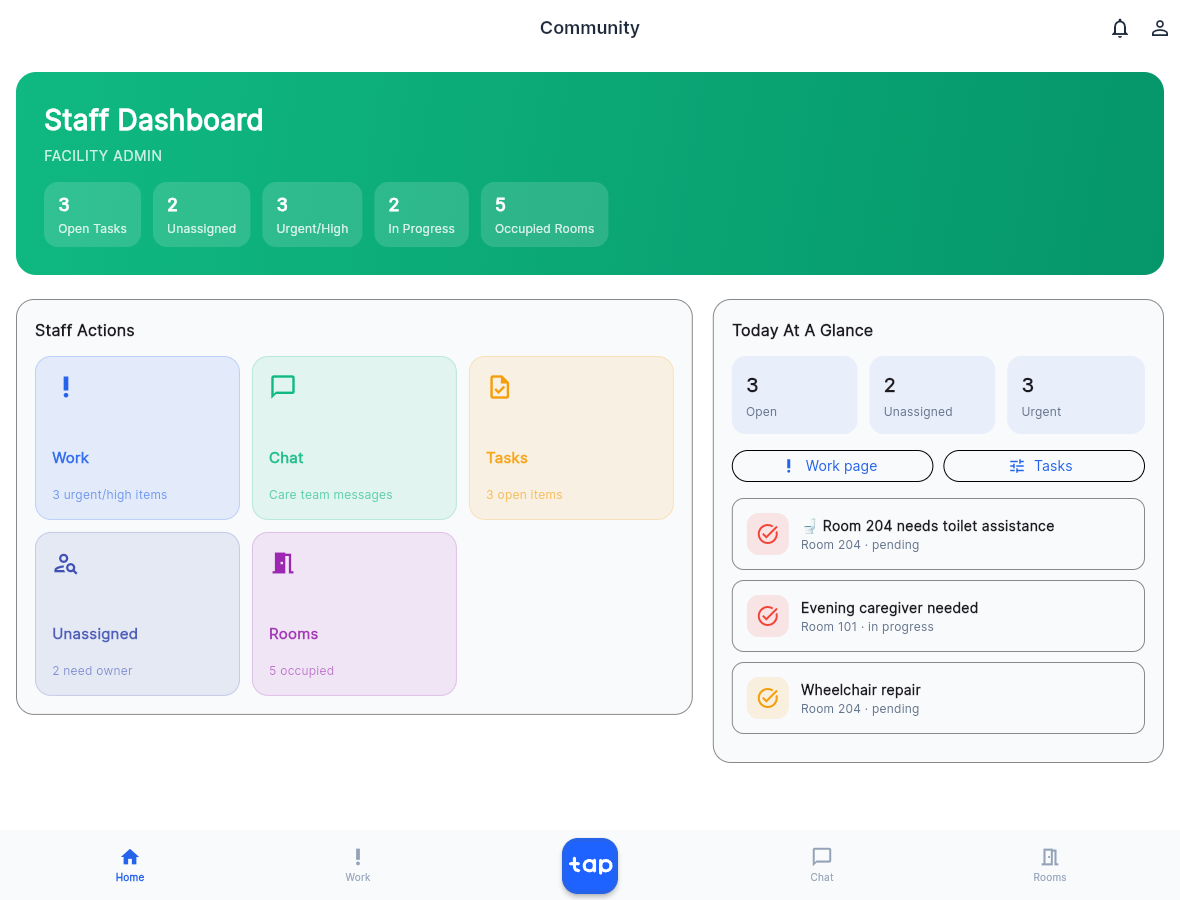
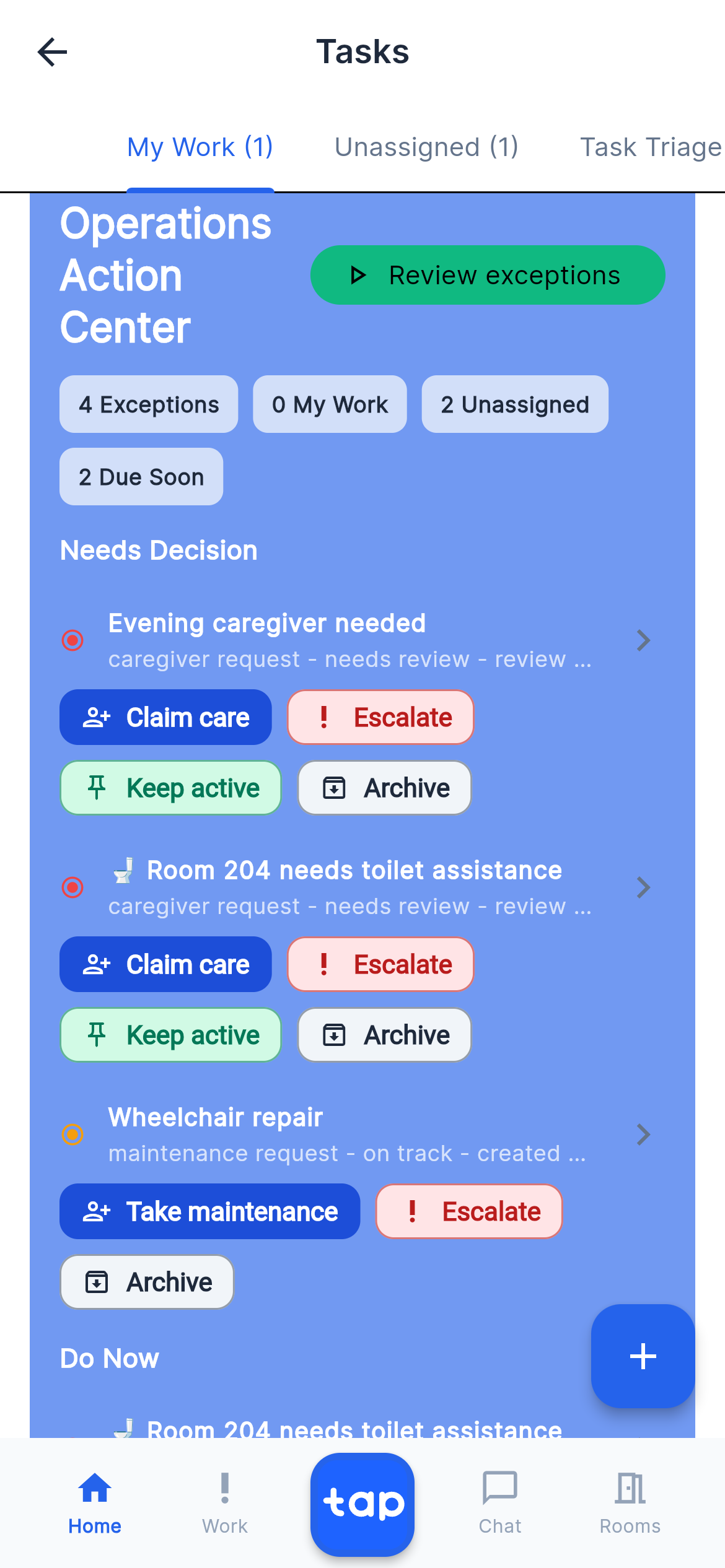
Staff see the work that needs them next.
Staff do not want another system they avoid. Role-aware task surfaces help nurses, caregivers, and front desk staff move from request to action with less friction.
- Task type, priority, role, and assignment shape what each person sees first.
- Cross-shift context stays visible instead of living in one-off messages and memory.
- Room details, quick actions, and messaging reduce the cost of finding the next right step.
For operators
Facilities get clearer operations without extra noise.
Tap Family positions against real operational frustration: repeated family calls, scattered updates, lost handoff context, and communication that depends too much on who happens to be available.
- Leadership gets a faster read on open work, family communication, and community activity.
- Digital signage is also in beta so communities can extend the same communication stream into shared spaces.
- Accountability stays visible with role-based access, tenant isolation, and structured activity history.
Update once instead of repeating the same context across callbacks and shift changes.
Families get clearer, more timely communication without needing to chase staff down.
Threads, updates, and next steps stay visible when the next team picks things up.
Leadership can see what was shared, when it moved, and where follow-up still sits.
Family Messaging
Clearer updates, fewer repeated calls.
A calm, premium communication layer for senior living teams with one shared view for updates, response visibility, and cross-shift continuity.
Family Communication Overview
Care updates, sentiment, and response visibility in one shared communication view.
Live today One thread Fewer callbacks
Operator snapshot
This week
- 38% fewer repeated update calls
- 1 shared communication thread
- 24/7 cross-shift continuity
- Clear what was shared and when
Why Tap Family
Clearer than portals. Leaner than enterprise platforms.
Tap Family connects the daily product surfaces families, care teams, and facility leaders already need without turning every update into another heavy workflow.
No scattered family communication or repeated retelling of the same update.
Timely care communication families can actually feel instead of vague status updates.
Quicker updates with fewer callbacks, less chasing, and better context continuity.
Trust
Built for HIPAA compliant communication.
Tap Family is built for care environments where privacy, accountability, and access control matter. For covered deployments, the product is designed to support HIPAA compliant workflows with role-based access, audit history, tenant isolation, and careful handling of resident information.
RBAC
Role-based access keeps family, staff, and facility views scoped to need.
BAA
Business associate agreement support for covered facility deployments.
Audit
Task and communication activity is structured for review and accountability.
PHI
Notification and access patterns are designed to minimize unnecessary exposure.
Questions
Questions? Clear answers.
A quick look at who Tap Family is for, how access works, and what the waitlist means.
Who is Tap Family for?
Tap Family is built for senior care communities that need a clearer way to connect families, staff, and facility leaders.
Can family members message staff?
Yes. Family users can access allowed staff contacts and chat experiences based on their role and facility setup.
How are staff roles different?
Facility admins, nurses, caregivers, and front desk staff see different task surfaces so each role can focus on the work it can act on.
Does Tap Family replace emergency communication?
No. Tap Family is for care-related coordination and community communication. Emergencies should always use emergency services and the facility’s established urgent-care protocols.
Is Tap Family HIPAA compliant?
Yes, Tap Family is designed to support HIPAA compliant communication for senior care organizations when deployed under the right customer agreements and facility controls. Product safeguards include role-based access, tenant isolation, auditable activity history, scoped family views, and PHI-conscious notification patterns. For covered entities, HIPAA compliance also depends on the facility’s configuration, workforce training, internal policies, and any required business associate agreement.
Will Tap Family support digital signage?
Yes. Digital signage is in beta as part of the broader Tap Family experience so communities can extend announcements, reminders, events, and other shared updates into on-site screens in addition to the app.
What happens when I join the waitlist?
The team can follow up with launch updates, pilot availability, digital signage updates, and next steps for evaluating Tap Family at your community.
Join the Waitlist
Be first to hear about pilots, launch timing, and next steps.
Join the waitlist to get updates on product access, pilot availability, and how Tap Family can help your community reduce repeated family calls, protect handoffs, and deliver a calmer communication experience. Your information will only be used for Tap Family follow-up and related updates, and it will not be shared with third parties.